Youtube to MP3
The Problem
I had a recurring problem with converting YouTube videos to MP3. The typical solution meant visiting sketchy, ad-riddled websites just to get an audio file. My use case was mostly indie cover music — I'm a big vocaloid fan and many of these songs simply aren't available on Spotify. I wanted something cleaner: paste a URL, get the song added directly to my Spotify playlist. As a bonus, I also wanted a Google Drive backup via rsync so I wouldn't lose my library if my machine ever crashed.
Downloading with yt-dlp
The core of the project is a Python application using yt-dlp, integrated into my NixOS environment. There were no external dependencies beyond Python itself — almost all the configuration lives in the yt-dlp options dict.
Files are written to /tmp intentionally — on reboot the directory clears automatically, so no disk space accumulates from intermediate files.
The UI
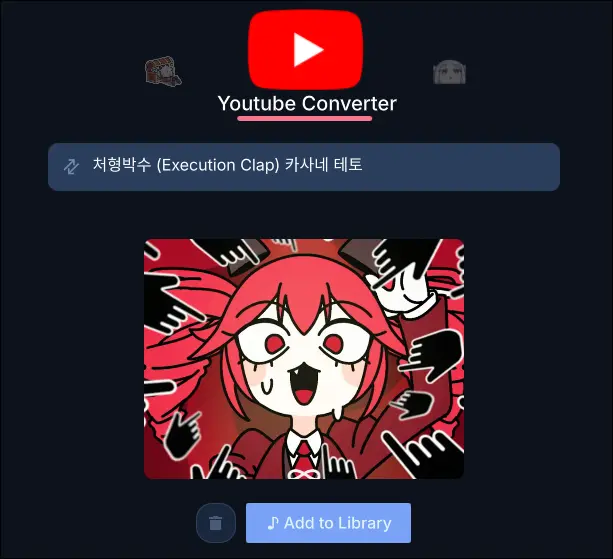
Rather than a CLI tool, I wanted something I could actually use day-to-day. I built a small interface using Quickshell, which is my go-to for UI widgets on my Linux desktop. The flow is simple: paste the URL, click the button, and the song gets downloaded, tagged, synced to Google Drive, and added to Spotify.
Google Drive Sync
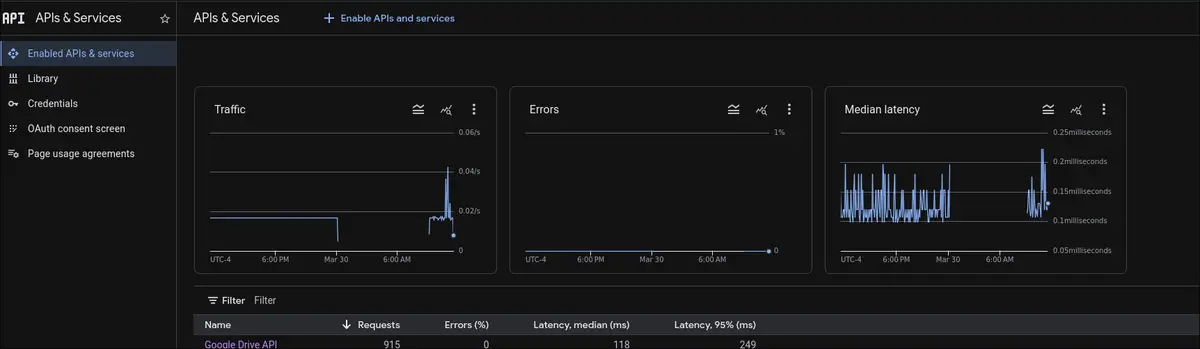
For the backup side, I used rclone to mount Google Drive locally, then rsync to keep my ~/Music folder in sync with it. Whenever a new song is added to the folder, the next sync picks it up automatically.

The rclone setup itself is fairly guided — it walks you through the OAuth flow step by step. That said, there is some Google Cloud knowledge required upfront. Specifically, you need to register an application in the Google Developer Console and configure the appropriate IAM permissions and API access for Google Drive. It's all free, but the console UI can be a bit vague about exactly what to enable.

Spotify Integration
Spotify on Linux supports local files — it can read from a directory on your filesystem and surface those tracks in your library. The catch is that a raw YouTube download has no MP3 metadata: no artist, no album, no cover art. That's where eyeD3 comes in.
eyeD3 is a straightforward Python library for reading and writing MP3 ID3 tags. After downloading, I use it to attach:
- Artist — taken from the video uploader
- Album — set to the YouTube video title
- Cover art — the video thumbnail, converted to PNG by yt-dlp and embedded into the file
Embedding the thumbnail does increase the file size slightly, but being able to identify songs at a glance in Spotify is worth it.

Conclusion
This ended up being a genuinely useful project. I no longer have to rely on sketchy converter sites, my library is automatically backed up to Google Drive, and new songs show up in Spotify with proper artwork and metadata. For anyone in a similar situation — collecting music that isn't available on streaming platforms — this kind of local pipeline is worth the setup effort.